Last updated: 2026-08-10 · By Abdul Razzaq · ~14-min read
TL;DR — A Shopify B2B developer builds the layer between native B2B features and a production wholesale portal your buyers actually use: Company Account hierarchies, tiered catalogs and price lists, custom quote-to-order checkout, rep-assisted flows, and ERP sync. Native gets you the foundation. Everything a wholesale buyer touches on a real portal is developer work on top.
The last multi-tenant dealer portal I shipped for AWH Ekken was a whitelabel Shopify app serving dozens of independent dealers off one codebase, each with their own catalog, pricing, and checkout rules. Before that, I built the Javson Sports Figma-to-Shopify wholesale portal — a full B2B rebuild on top of Shopify’s native Company Accounts stack. Both projects shared the same lesson: enabling B2B in the Shopify admin is roughly 15% of the job. The other 85% is what a Shopify B2B developer builds on top so buyers can actually place an order without emailing a rep.
Shopify’s native B2B tooling is genuinely good in 2026. Company Accounts, catalogs, price lists, net-terms invoicing, gated storefronts — the platform ships real infrastructure. What it doesn’t ship is the buyer experience: the reorder dashboard, the rep-assisted draft order, the approval chain, the location-specific purchase rule, the ERP round-trip that keeps inventory honest. That’s the developer surface. If you’re a merchant trying to figure out what a B2B specialist actually delivers, or a developer sizing the scope of a wholesale portal on Shopify, this is the walkthrough.
What a Shopify B2B developer actually builds
The direct answer: a Shopify B2B developer builds the buyer-facing and operations-facing layers that Shopify’s native B2B primitives leave open. Native gives you the objects (Company, CompanyLocation, CompanyContact, Catalog, PriceList) and the login-gated storefront. A B2B developer wires those objects into workflows a wholesale buyer or account rep can actually use daily.
The recurring build list across the B2B portals I’ve shipped:
- Company Account hierarchies. Creating and syncing companies, locations, and contacts programmatically via the Admin GraphQL API, because clicking through the admin for 400 dealer accounts is not a plan.
- Tiered pricing logic. Mapping negotiated price tiers, volume-break tables, and per-location contract pricing into Shopify’s Catalog and PriceList model, sometimes extended with metafields where the native model runs out of room.
- Buyer-specific catalogs. One catalog per dealer segment, so a Tier 2 dealer never sees the Tier 1 SKU list or the Tier 1 price.
- Custom quote-to-order flow. Draft orders created from a rep dashboard, sent to the buyer for approval, converted to an order when the buyer signs off.
- Reorder dashboards. A “past 6 months of purchases” view on the buyer’s account page with one-click re-add-to-cart, filtered by location.
- Rep-assisted flows. A sales rep logs into a buyer’s account (with permission), builds a cart on their behalf, submits for buyer approval.
- Location-specific purchasing rules. Buyer at Location A can order SKU X; same buyer at Location B cannot. Native supports catalog per location; enforcing category-level and quantity-level rules on top is developer work.
- ERP round-trip. Products and inventory push from ERP into Shopify; orders push from Shopify back into ERP for fulfillment, invoicing, and net-terms tracking.
- Custom checkout for wholesale. PO number capture, ship-to selection restricted to the buyer’s approved locations, deposit or partial-payment support, tax-exemption certificates.
- Storefront B2B extensions on headless builds. Using B2B on the Storefront API when the wholesale portal runs on Hydrogen or a custom frontend.
None of that ships out of the box. The Shopify admin gets you a login page and a catalog attachment; the developer builds the portal a wholesale buyer actually opens in the morning.
The Shopify B2B architecture — Company Accounts, catalogs, price lists
The direct answer: Shopify B2B is built on a three-tier account model (Company → CompanyLocation → CompanyContact) with catalogs controlling product visibility and price lists controlling wholesale pricing per buyer segment. Understanding this data model is what separates a developer who ships a scalable portal from one who fights the platform the whole way.
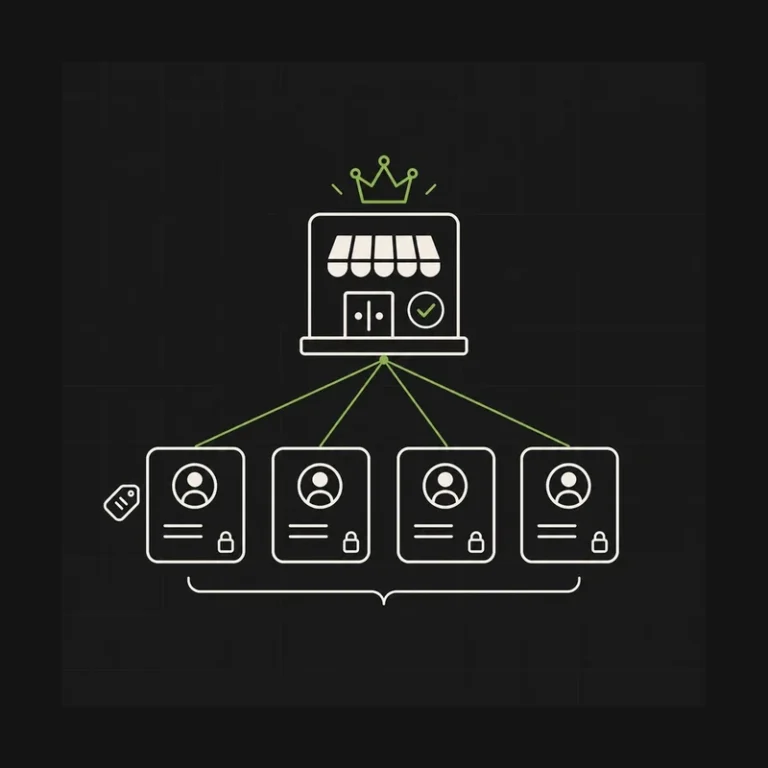
At the top sits the Company, the buyer organization itself. Below that, one or more CompanyLocation records represent physical or logical purchasing sites (a warehouse in Karachi, a store in Berlin, a regional office in Toronto). Each location can carry its own catalog, price list, payment terms, tax exemption status, and default shipping address. Below that sits CompanyContact, the individual buyers, purchasers, or approvers who log in on behalf of the company. A single contact can be linked to multiple locations with different permissions.
Catalogs and price lists are the pricing layer. A Catalog controls which products are visible; a PriceList attached to that catalog defines the actual wholesale prices, as fixed variant amounts, percentage adjustments from the base price, or quantity-break tiers. Assign a catalog to a company location and the logged-in buyer sees only their SKUs at their negotiated price. Everything else in the store is invisible to them.
Where developers spend real time is the Admin GraphQL API surface for these objects: companyCreate, companyLocationCreate, companyContactCreate, catalogCreate, priceListCreate, productVariantPriceListUpdate. Managing a real wholesale operation through the admin UI stops working the moment you have more than a dozen accounts.
Here is the honest comparison of where B2B lives across Shopify plans:
| Plan | Company Accounts | Buyer-specific catalogs | Net terms + PO invoicing | Custom checkout for B2B | Realistic verdict |
|---|---|---|---|---|---|
| Basic / Grow / Advanced | No native support | App-stack workarounds only | Manual (draft orders + notes) | Extensibility apps only | Works up to ~5-10 wholesale accounts |
| Advanced + B2B app stack | Emulated via customer tags + Locksmith + Bold Custom Pricing | Emulated | Emulated via manual invoicing | Very limited | Ceiling hits fast; monthly app cost climbs |
| Shopify Plus (native B2B) | Yes — Company Accounts | Yes — Catalog + PriceList per location | Yes — native Net 30/60/90 + PO | Full Checkout Extensibility at Plus tier | The correct target for any serious B2B channel |
| Plus + custom app extension | Everything above + custom logic | Programmatic assignment at scale | Programmatic terms + ERP sync | Custom UI Extensions + Functions | Multi-tenant dealer portals, enterprise B2B |
Two things worth calling out from the Shopify B2B developer docs. First, the native model supports the Company → CompanyLocation → CompanyContact hierarchy, but multi-level parent/child company relationships (holding company → subsidiary → division) usually need custom modeling in metafields or a companion app. Second, permissions per contact per location are more nuanced than the admin UI suggests. Read the docs before you promise “role-based access” in a proposal.
The wholesale portal build I actually run
The direct answer: every B2B build I ship follows the same nine-stage workflow — discovery, data model design, Company and account import, pricing schema, gated storefront, custom checkout, ERP integration, rep training, launch. Skipping any of these is where portals stall in UAT or get quietly abandoned three months post-launch.
On the AWH Ekken multi-tenant dealer portal, the discovery phase alone ran three weeks because the answer to “how does pricing work for a new dealer” was different depending on whether the dealer sold in a metro region, a suburban region, or a rural region. That’s not a data problem; that’s a business rules problem, and it has to get modeled before you touch the Admin API. On Javson Sports, the discovery uncovered a rep-assisted quoting flow that wasn’t in the original brief but was 40% of the reps’ daily work. Building the portal without it would have shipped a store nobody used.
Here’s the workflow in one diagram.
flowchart TD
    Start(["B2B portal engagement"]) --> Discovery["1. Discovery
Buyer segments, tiers, rules"]
    Discovery --> Model["2. Data model design
Company hierarchy, locations, roles"]
    Model --> Import["3. Company import
Admin GraphQL bulk create"]
    Import --> Pricing["4. Pricing schema
Catalogs + PriceLists per segment"]
    Pricing --> Storefront["5. Gated storefront
Company-aware Liquid or headless"]
    Storefront --> Checkout["6. Custom checkout
PO capture, terms, ship-to rules"]
    Checkout --> ERP["7. ERP integration
Product, inventory, order sync"]
    ERP --> Training["8. Rep training
Draft order flows, approval chain"]
    Training --> Launch{"Pilot with
5-10 accounts?"}
    Launch -->|Pass| GoLive(["Roll out to full
buyer base"])
    Launch -->|Fail| Fix(["Rework flow
then re-pilot"])
    classDef step fill:#0e1218,stroke:#00d9a3,stroke-width:1px,color:#e8ecef
    classDef decision fill:#1a1f2b,stroke:#f5a742,stroke-width:1px,color:#e8ecef
    classDef good fill:#0f2818,stroke:#7dd88a,stroke-width:1.5px,color:#e8ecef
    classDef bad fill:#281818,stroke:#f28080,stroke-width:1.5px,color:#e8ecef
    class Start step
    class Discovery,Model,Import,Pricing,Storefront,Checkout,ERP,Training step
    class Launch decision
    class GoLive good
    class Fix bad
Two stages routinely blow the timeline. The pricing schema stage looks trivial in the brief (“three tiers, volume breaks, done”) and turns into two weeks of work once you discover that Tier 2 dealers get a 12% discount off list except on clearance SKUs, and there are four kinds of clearance SKU depending on the season. Native price lists handle a lot of this cleanly if you model it right; if you model it wrong, you end up with 40 price lists and a maintenance nightmare.
The ERP integration stage is where budgets die. Every real B2B operation has an ERP as the system of record: NetSuite, Business Central, Acumatica, or something custom. On AWH Ekken the ERP round-trip was the entire technical spine of the multi-tenant model. One ERP, dozens of dealer stores, product and inventory syncing out to each dealer, orders syncing back in with dealer attribution. That workstream had its own discovery, its own architecture doc, and its own QA phase. Treating it as a “final week” task is the single most reliable way to miss a launch date. Middleware like Celigo, Boomi, or MESA covers most stacks; direct connectors exist for NetSuite and Business Central; anything custom is a build.
The pilot gate before general availability is what I refuse to skip. Even a “small” portal launches to 5-10 real buyer accounts first, in production, for two weeks, before the full roll-out. Every portal I’ve shipped surfaced at least one production-only bug in the pilot: a permission edge case, an ERP sync race condition, a checkout validation that fired on the wrong field. Better to fix that with 8 buyers than 800.
The five most common B2B build mistakes
I get called into rescue projects a few times a year, and the patterns rhyme. Here are the mistakes I keep seeing on Shopify B2B builds that shipped and then didn’t work.
1. Over-relying on the app stack instead of native B2B. On Advanced-plan stores, developers reach for Locksmith + Bold Custom Pricing + a wholesale channel app and call it “B2B.” That stack costs $400-$900/month, breaks whenever any component updates independently, and hits a ceiling around 20-30 buyer accounts before the maintenance load is untenable. If the business case supports Shopify Plus, native B2B is cleaner and cheaper long-term. The app-stack workaround is a bridge, not a destination.
2. The wrong Company hierarchy. Every rescue project I’ve seen with a “we need to redo the accounts” complaint had the same root cause: someone modeled a multi-location dealer as separate Companies instead of one Company with multiple CompanyLocations. That decision breaks reporting, breaks ordering permissions, breaks price-list attachment, and is painful to unwind after buyers are in the system. Model this on paper before you run a single companyCreate mutation.
3. Ignoring rep workflows. Merchants brief the developer on the buyer experience and forget the sales rep entirely. Then launch happens and the reps, who own the customer relationship, have no way to build a quote, no way to place an order on behalf of a buyer, no visibility into buyer activity. Reps route around the portal, buyers get emailed spreadsheets, and the portal quietly dies. Rep-assisted flows are not a phase-two feature.
4. No integration plan. The brief says “we’ll integrate with the ERP later.” Later never comes, or comes as an emergency six weeks after launch when nobody can figure out why inventory is wrong. Every serious B2B portal needs the ERP integration scoped, budgeted, and built in the first phase. If the ERP truly can’t be touched yet, the portal should launch with clearly labeled manual inventory management, not with an integration that’s “coming.”
5. Retrofitting B2B onto a DTC checkout. The DTC checkout is optimized for a shopper buying a $65 t-shirt with a credit card. The B2B checkout serves a purchaser buying $12,000 of stock on Net 30 with a PO number and ship-to selection from a list of five approved warehouses. These are different UX problems and different validation logic. On Plus, the Checkout Extensibility surface supports both properly when you build them as separate flows. Trying to fake B2B on the DTC checkout produces a checkout that’s confusing for both audiences.
B2B on Advanced — when the app-stack workaround makes sense
The contrarian take: I’ve argued for staying on Advanced with a modest B2B app stack more than once, when the numbers said Plus wasn’t ready yet. It’s not the default recommendation, but it’s the honest one for a specific merchant profile.
If you’re doing under roughly $500K in B2B revenue, with fewer than 10 active wholesale accounts, and your buyers are happy to log in, browse, and order with a small set of pricing rules, an Advanced plan with a wholesale channel app or a small custom app can carry you for 12-24 months. Advanced at $399/month plus $200-$400/month in app spend is a very different number from Plus at $2,300/month plus $10K-$40K of implementation. If the wholesale channel isn’t paying for that delta, don’t force it.
The cross-over point is where Plus becomes non-negotiable:
- Buyer count crosses ~20-30 active companies and account admin starts eating rep time.
- Any buyer asks for net-term invoicing that would need manual invoicing on Advanced.
- The catalog needs three or more distinct pricing tiers and a wholesale app starts throwing edge-case errors.
- Any part of the portal roadmap touches custom checkout logic Advanced can’t support.
- Wholesale revenue clears roughly $500K/year and the app-stack maintenance load starts costing more than the plan delta.
The honest read is that Plus is the right target for any B2B operation with serious scale ambitions, but “aspiration” and “current reality” aren’t the same. If you’d rather stress-test the ROI math against your specific numbers before signing, the Shopify Plus ROI framework walks through the four thresholds I use with clients.
The trap to avoid is the middle ground — running a growing B2B channel on Advanced past the cross-over point because “we’ll upgrade next quarter.” Every rescue call I’ve taken from a merchant in that middle band cost more to fix than the Plus upgrade would have cost 12 months earlier. If you’re at the cross-over, plan the upgrade in the current quarter, not the next one.
When to hire a B2B specialist vs. run it in-house
The direct answer: run B2B in-house only if you have a senior Shopify developer on staff who has shipped at least one production B2B portal on the Company Accounts model. Everything else is a rescue call waiting to happen.
| Situation | Run in-house | Hire a specialist |
|---|---|---|
| Existing senior Shopify dev with prior Plus B2B experience | Yes | Optional |
| Advanced + wholesale channel app, under 10 buyer accounts | Yes | Overkill |
| Plus native B2B, first-time build, standard tiers | Only with senior support | Recommended |
| Multi-tenant dealer or franchise portal | No | Yes |
| Any B2B build with ERP integration | No | Yes — this is where things go sideways |
| Headless B2B on Hydrogen or custom frontend | No | Yes |
The vetting question I’d ask any developer bidding on a B2B build: “Walk me through the Company, CompanyLocation, and CompanyContact objects and where you’ve used each one in production.” A developer who has actually shipped B2B answers in specifics. A developer who has only read the docs answers in generalities. The services page for Shopify B2B and wholesale portals covers what I typically own as the external specialist on these builds.
Frequently asked questions about Shopify B2B development
What does a Shopify B2B developer do?
A Shopify B2B developer builds the layer on top of Shopify’s native B2B primitives that turns “features enabled” into a portal buyers actually use. That includes creating Company Accounts programmatically, wiring buyer-specific catalogs and price lists, building custom checkout for wholesale (PO capture, net terms, ship-to selection), integrating with an ERP, and shipping rep-assisted quote-to-order flows. Native gets you the foundation. Everything else is developer work on top.
Do I need Shopify Plus for B2B?
For serious B2B (native Company Accounts, buyer-specific catalogs, net-term invoicing, and custom checkout), yes, Shopify Plus is required. Under about $500K in wholesale revenue with fewer than 10 accounts, an Advanced plan with a wholesale channel app can carry you 12-24 months. Above that, Plus becomes non-negotiable because the app-stack ceiling and maintenance load overtake the plan delta. Plan the upgrade at the crossover, not after.
How long does a wholesale portal take to build?
Realistic ranges from the B2B builds I’ve shipped: 6-10 weeks for a standard Plus B2B portal with clean tiers and no ERP integration, 12-20 weeks for a portal with ERP round-trip and rep workflows, and 20-30 weeks for multi-tenant dealer portals with custom app extensions. The AWH Ekken whitelabel dealer portal was in the multi-tenant band. Discovery and pricing-schema design routinely take longer than the brief suggests; budget accordingly.
What’s the difference between B2B on Shopify and a B2B app?
B2B on Shopify is native Plus infrastructure (Company Accounts, catalogs, price lists, net terms) built into the platform and accessible via the Admin GraphQL API. A B2B app (Wholesale Channel, Bold Custom Pricing, Locksmith stacks) emulates those features on non-Plus plans using customer tags, discount rules, and access gates. Native is cleaner, faster, and scales; apps are a bridge until Plus makes sense. Every B2B app stack I’ve inherited was replaced by native on the next Plus upgrade.
Can I have DTC and B2B on the same Shopify store?
Yes, and this is the recommended pattern on Plus. Buyers log in and see their wholesale catalog and price list; DTC customers browse the retail catalog and pay retail prices. The storefront serves both audiences from the same theme with company-aware Liquid, or from separate frontends against the same backend on headless. The Storefront API B2B extensions are what enable headless portals to serve both audiences cleanly.
How do Company Accounts work in Shopify?
Shopify B2B uses a three-tier account model: Company is the buyer organization, CompanyLocation is a physical or logical purchasing site under that company, and CompanyContact is the individual buyer. Each location can carry its own catalog, price list, payment terms, and tax exemption. Contacts are assigned to one or more locations with per-location permissions. Modeling this correctly on paper — before you run any Admin API mutations — is the single decision that most affects portal maintenance.
What’s a typical Shopify B2B build cost?
From the B2B builds I’ve shipped, honest ranges: $25K-$60K for a standard Plus B2B portal with clean tiers and no ERP, $60K-$150K for a portal with ERP integration and rep workflows, and $150K-$300K+ for multi-tenant dealer portals or custom app-extended B2B. The Plus subscription itself starts at $2,300/month on a three-year term, separate from the build. Watch out for fixed-price bids that omit ERP scope; that’s where the money goes.
Can Shopify B2B replace my current wholesale platform?
For most mid-market wholesale operations, yes: Shopify Plus B2B has matured enough in 2026 to replace legacy platforms like NetSuite SuiteCommerce, BigCommerce B2B, or custom-built portals. The exceptions are operations that need genuinely bespoke pricing engines beyond quantity breaks and tiered price lists, or those tightly coupled to a specific ERP UI. If your current platform’s differentiator is a feature Shopify supports natively or via a custom app, the migration usually pays back inside 12 months.
About the author
Abdul Razzaq is a Shopify developer based in Lahore, Pakistan. He’s shipped 50+ stores including the AWH Ekken whitelabel multi-tenant dealer portal, the Javson Sports Figma-to-Shopify B2B wholesale build, custom Company Accounts implementations, and Plus builds for wholesale and DTC brands across North America, Europe, Australia, and MENA. 7+ years in the Shopify trenches, 5★ across 30+ reviews on Fiverr and Upwork. He leads Shopify development at QWERTY Experts and takes select freelance projects. More writing on the devabdulrazzaq blog.