Last updated: 2026-08-10 · By Abdul Razzaq · ~14-min read
TL;DR — Most Shopify CRO advice is a list of 40 tactics. The audit I actually run is four ranked areas (mobile PDP, checkout, cart drawer, trust signals), a 12-item checklist, and one rule: fix the biggest friction point first, measure it, then move on. Cart abandonment sits at roughly 70% across the industry per Baymard Institute, and most of that leak lives in three or four places, not forty.
Across the CRO audits I’ve run on DTC Shopify stores over the last few years, one pattern shows up every time: the merchant already knows something is broken, they just don’t know which broken thing is costing them the most money. On the Body By Butter Shopify build we ran the full stack (Zoho + Google Sheets automation, catalog rebuild, checkout flow tightening), and the single biggest lift came from one PDP-level change that took an afternoon. On a separate high-AOV B2B rescue, the “conversion problem” turned out to be a wholesale checkout that was silently blocking net-terms buyers on step two. Different stores, different symptoms, same lesson: CRO wins live in specific places, and the audit’s job is to point at them.
This article is the practical Shopify conversion rate optimization audit I use in 2026. It ranks the four store areas that produce the biggest ROI, walks the 12-item checklist I run against every store, shows the actual workflow diagram end-to-end, and covers how to run disciplined A/B tests without kidding yourself on sample size. If you’d rather have a specialist run the audit on your specific stack, the Shopify CRO service page is where that conversation starts. Otherwise, keep reading and you’ll have enough to run the audit yourself.
What Shopify CRO actually is (and isn’t)
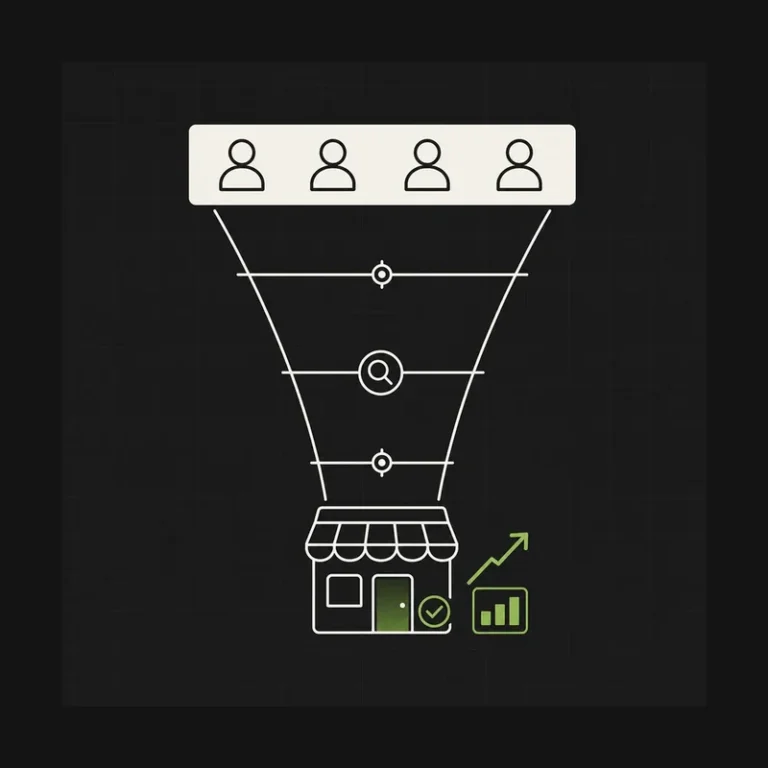
The direct answer: Shopify conversion rate optimization is the systematic removal of friction between a visitor landing on your store and that visitor completing checkout. It is not a bag of tricks. It is not more traffic. It is not running four button-colour A/B tests on your homepage and calling it a program.
Most of the stores I audit have a conversion rate somewhere in the 1% to 3% range, which is roughly the typical DTC band. That number by itself is meaningless without industry context (a jewellery store at 1.2% is doing better than an apparel store at 1.8%), and it is also meaningless without channel context. Email traffic converts at a completely different rate than paid social, and averaging them together buries the signal. Any real CRO program starts by segmenting the number, not chasing the average.
Here is what CRO is not:
- It is not “get more traffic.” Sending more visitors into a leaking funnel makes the leak bigger in absolute terms, not smaller. Acquisition and CRO are separate disciplines and the CRO one usually has better ROI per dollar spent.
- It is not “run more A/B tests.” Tests without a hypothesis are noise. Tests without sample-size math are astrology. Most stores I audit run four or five tests a quarter and read the results long before statistical significance shows up.
- It is not “redesign the homepage.” For most DTC brands the homepage is not the bottleneck. Paid and email traffic lands on PDPs and collection pages, not the homepage. Rebuilding the homepage first is a common mistake I keep seeing on rescue calls.
- It is not a one-time project. CRO is a permanent function. The stores that compound gains are the ones that treat the audit as something they re-run every quarter, not once at the start.
What CRO actually is: a repeatable audit workflow that identifies the single biggest friction point in the funnel, ships a fix, measures the delta with enough data to trust it, and moves on to the next friction point. That is the entire discipline. Everything else is decoration.
The four store areas that produce the biggest CRO wins
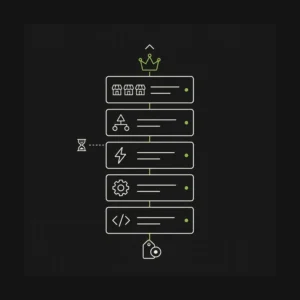
The direct answer: across the audits I’ve run, four areas produce the majority of the conversion lift and everything else is diminishing returns. In ROI order they are the mobile PDP with variant swatches, the checkout flow, the cart drawer, and trust-signal placement. Fixing the top of that list first is the entire game.
Here is the comparison I walk clients through, with the typical friction pattern I find in each area:
| Area | Typical friction I find | Where the lift comes from | Reference |
|---|---|---|---|
| Mobile PDP + variant swatches | CTA below the fold on mobile, variant options that require tapping into a dropdown, price shift on variant swap not reflected in the sticky button, image gallery blocking primary content | Getting the add-to-cart above the fold on a mid-range Android, swatches visible without tapping, clear price on the button | Baymard PDP research |
| Checkout | Unexpected costs revealed at checkout, forced account creation, missing express payment methods, form fatigue with poor autofill | Cost transparency on the PDP or cart, guest checkout on, express payment buttons above the fold at checkout | Shopify checkout settings |
| Cart drawer | Unclear totals with shipping estimated late, upsells that push the CTA off screen, discount stack that changes total silently after apply | Total visible and stable, one clear primary action, upsells never displacing the checkout button | Baymard cart usability |
| Trust signals + reviews | Reviews buried below fold, generic testimonials with no photo, missing shipping/returns policy near the CTA, no security badge near payment | Reviews visible near the buy box, real photos, policy links inline at the point of decision | Baymard trust research |
Two things to notice about that list. First, cart abandonment sits at roughly 70% across the industry per Baymard Institute’s ongoing tracking, and Baymard’s own research consistently attributes a large share of that to extra costs surfacing too late, forced account creation, and complicated checkouts. Those are all fixable at the checkout and cart layers, which is why those two rank so high in the ROI table.
Second, the mobile PDP is where I usually find the single biggest untapped lift on a store I’ve never audited before. Most Shopify themes render fine on desktop and then quietly break the visual hierarchy on a 375px viewport. Fixing that one page template for mobile is the fastest path to a real conversion rate delta on most DTC stores I inherit.
The 2026 Shopify CRO audit — 12-item checklist
The direct answer: run these 12 checks against your store in order before you touch a single design change. Each one takes 10 to 30 minutes, generates a clear pass or fail, and feeds directly into the prioritised backlog you’ll build in the next section.
- Speed audit — run Google PageSpeed Insights on your homepage, top-traffic collection page, and top-traffic PDP. Note LCP, INP, and CLS on both mobile and desktop. Web.dev’s Core Web Vitals thresholds put “good” at LCP under 2.5s, INP under 200ms, and CLS under 0.1.
- PDP audit — on a real mid-range Android phone, load your best-selling product page. Is the add-to-cart visible without scrolling? Are variant swatches visible without tapping? Does the price on the sticky button update when you change variants?
- Checkout audit — run a full test order on mobile. Count taps from cart to order confirmation. Count fields you had to fill. Note anywhere Shop Pay, Apple Pay, or Google Pay is missing above the fold.
- Cart drawer audit — add three items, apply a discount code, and note whether the total is stable, whether the checkout CTA is above the fold, and whether any upsell blocks push the CTA off screen.
- Trust audit — on the PDP, note reviews visible above the fold, whether reviews include photos, and whether shipping and returns policy links are visible near the buy box rather than only in the footer.
- Mobile-only audit — go through your top five landing pages on a real phone, not the DevTools emulator. Emulator lies about tap targets, font size perception, and connection speed on a real mid-range device.
- Form-field audit — every form on the store (checkout, newsletter, contact) gets a field count. Anything above five fields for checkout, or above three for lead capture, needs a defence.
- Discount stack audit — apply a code at cart, at checkout, on a bundle, and on a subscription. Note anywhere the discount silently fails to stack, silently overrides another discount, or changes the total without notification.
- Pixel audit — open Chrome DevTools, fire a PageView, AddToCart, and Purchase, and verify each event lands cleanly in Meta, TikTok, GA4, and your Shopify pixel debug view. Broken attribution invalidates every downstream CRO decision.
- Product-copy audit — read the top three PDPs out loud. If you’re reading spec sheets instead of benefit statements answering the first three objections a first-time buyer has, that is the copy work in the backlog.
- Image audit — check every hero PDP image for weight, format, and dimensions. Anything over 200KB, anything not in WebP or AVIF, and anything served at a larger resolution than the render size is a speed and CLS bug in disguise.
- Upsell placement audit — every upsell, cross-sell, and recommendation block gets scored on whether it advances the conversion or delays it. Anything that displaces the primary CTA or interrupts the checkout flow is a net negative regardless of what its own click-through rate looks like.
The output of the audit is a single spreadsheet: one row per check, pass or fail, severity, estimated fix cost, expected lift range. That spreadsheet is what feeds the backlog.
The CRO audit workflow I actually run
The direct answer: the audit is not a one-shot inspection. It is a repeating loop of six stages that always run in the same order. Skipping stages inverts the ROI of the entire program because you end up testing hypotheses that were never grounded in real data.
Here is the workflow end-to-end:
flowchart TD
    Baseline(["Stage 1
Analytics baseline
90-day CVR by channel and device"]) --> Replay["Stage 2
Session replays
Hotjar or Microsoft Clarity, 100+ sessions"]
    Replay --> Speed["Stage 3
PageSpeed pass
Mobile LCP, INP, CLS on top pages"]
    Speed --> Heatmap["Stage 4
PDP and checkout heat maps
Scroll depth, tap zones, rage clicks"]
    Heatmap --> Hypotheses["Stage 5
A/B test hypotheses
One variable, one metric, one bet"]
    Hypotheses --> Backlog["Stage 6
Prioritised backlog
Ranked by ICE score"]
    Backlog --> Ship{"Fix ready
to ship?"}
    Ship -->|Yes| Deploy(["Deploy fix
measure for 2-4 weeks"])
    Ship -->|No| Hypotheses
    Deploy --> Baseline
    classDef step fill:#0e1218,stroke:#00d9a3,stroke-width:1px,color:#e8ecef
    classDef decision fill:#1a1f2b,stroke:#f5a742,stroke-width:1px,color:#e8ecef
    classDef good fill:#0f2818,stroke:#7dd88a,stroke-width:1.5px,color:#e8ecef
    class Baseline,Replay,Speed,Heatmap,Hypotheses,Backlog step
    class Ship decision
    class Deploy good
Stage 1 is analytics baseline. Segment conversion rate by channel (organic, email, paid social, direct) and by device (mobile, desktop) over a 90-day window. That baseline is the number every downstream fix will be measured against. Skipping this step is the single most common CRO mistake I see on rescue projects.
Stage 2 is session replays. I use Microsoft Clarity because it’s free, but Hotjar works too. Watch at least 100 real sessions on mobile before you form any hypothesis. You will see things analytics cannot show you: shoppers tapping on a non-clickable image because they thought it was a swatch, thumbs missing tap targets by two pixels, forms abandoned at the same field every time.
Stage 3 is the PageSpeed pass. Run PageSpeed Insights on your top three pages and note the Core Web Vitals. Web.dev’s guidance on why speed matters is the authoritative reference for how these metrics translate into conversion impact.
Stage 4 is targeted heat maps on the PDP and checkout, layered on top of the session replay data. That combination is where the specific friction points crystallise.
Stage 5 is the hypothesis backlog. Each hypothesis is a single sentence: “We believe changing X will move metric Y by Z% because reason.” No sentence, no test.
Stage 6 is prioritisation. I use ICE (Impact, Confidence, Ease) as a rough score. Anything below a total of 5 goes to backlog and doesn’t ship. On the Body By Butter build the highest ICE items were all PDP-level, which is what drove the sequencing of the sprint.
How to run disciplined A/B tests on Shopify
The direct answer: Shopify has no native storefront A/B testing, so tests run through third-party apps. The tool matters less than the discipline — one variable per test, statistical significance before you read results, and enough sample size to trust the number. Most Shopify A/B tests in the wild are read too early and act on noise.
Sample size math first. For a store doing 500 checkouts per week at a 2% conversion rate, detecting a 10% relative lift with 95% confidence takes roughly 30,000 visitors per variant. That is not a two-week test. That is a four-to-eight-week test depending on your traffic split. Shopify’s own complete guide to A/B testing covers the sample-size math in depth and is the canonical reference to bookmark.
Here are the rules I enforce on every CRO engagement:
- One variable per test. Change the button colour or change the button copy, not both. If both move together you cannot attribute the lift.
- Two full business cycles minimum. Never read a test that has not seen at least two Mondays, two Fridays, and two weekends. Day-of-week seasonality is real and will fake a winner.
- Pre-declare the metric. Add-to-cart rate, checkout start rate, and revenue per visitor are all valid but they measure different things. Pick one before the test starts.
- Pre-declare the sample size. Calculate it once, write it down, and hold the line. “It’s obviously winning, let’s call it” is how false positives ship.
- Ship losers as fast as winners. A confirmed no-lift result is valuable data. The mistake is running the same test again with a small tweak and calling it new.
On a merchant doing enough volume for tests to complete in a reasonable window, I typically run one test per PDP template, one test per cart drawer variant, and one test per checkout extension at a time. Anything more parallel and you start getting interaction effects that no post-hoc analysis can untangle cleanly.
If your traffic doesn’t support 30,000 visitors per variant in a reasonable window, do not run A/B tests. Run best-practice implementations based on published research from Baymard and web.dev, ship them without a test, and measure the pre/post delta on a rolling 30-day window. That is not as clean as a real test, but for low-traffic stores it is honest and useful, where a badly-powered test is neither.
Where most Shopify CRO advice on the internet is wrong
The contrarian take: most of what is written about Shopify CRO is either surface-level tactics (“14 tips to boost conversions”) or best-practice checklists that were never actually validated on the store recommending them. Four specific pieces of common advice are wrong more often than they are right.
“Follow the best-practice checklist.” Best-practice checklists are the starting point of an audit, not the deliverable. The store that ships every item on a generic checklist without measuring which items actually moved the needle for their audience is running an activity, not a program. Every CRO engagement I run ends with about a third of the best-practice items overridden because the data on that specific store said otherwise.
“Test everything.” Testing is the most overrated activity in CRO. On most stores I audit, half the friction points are large enough that testing them is a waste of the discovery window. They should just be fixed. Reserve A/B testing for the medium-sized bets where you genuinely don’t know the direction, not for changes where the research already tells you the answer.
“Ship the best design.” Design contests where two beautiful PDP designs compete for the highest conversion rate almost always underperform a plainer design that removed one friction point. CRO is about friction removal, not aesthetic uplift. Every rescue project I get called into where the merchant recently redesigned their store has the same story: gorgeous new design, lower conversion rate than the old one.
“The homepage matters most.” For most DTC brands, the homepage is a small share of the total sessions that lead to a purchase. Paid social and email land on PDPs. Search lands on collection pages. Retargeting lands on cart. Rebuilding the homepage first is putting the biggest budget on the smallest surface area. The audit almost always ranks PDP and checkout above homepage for that reason.
The pattern underneath all four: most CRO advice on the internet was written by people who never had to answer for the outcome. The audits that actually move the number are the ones grounded in the specific store’s analytics, not in a generic checklist that got repurposed for the fifteenth blog post this quarter.
When to hire a Shopify CRO specialist vs. DIY
The direct answer: run CRO in-house until you plateau, then hire a specialist. Most stores have enough headroom on the first pass through the 12-item audit that internal effort will produce visible gains. When those gains stop, that is the signal.
| Situation | Run in-house | Hire a CRO specialist |
|---|---|---|
| Under $30K/mo revenue, no dedicated dev, first CRO pass | Yes — run the audit, ship the top three items | Overkill |
| $30K–$200K/mo revenue, one dev on the team, plateau after DIY pass | Marginal — the ceiling is close | Yes — structural work needed |
| Above $200K/mo revenue, checkout customisation or B2B in scope | No | Yes — this is where the ROI is highest |
| Any store where paid traffic is being scaled aggressively | No | Yes — every 0.1% CVR lift compounds against the ad spend |
| Any store on Shopify Plus with checkout extensibility unused | No | Yes — the extensibility surface is where structural wins live |
If you’re deciding whether the person you’re hiring is right for the work, the Shopify developer vetting playbook covers the 20-minute filter I use. For CRO specifically, the question I’d ask is whether the specialist has ever shipped a change and honestly reported a null result. Anyone who’s only ever “improved” every metric they’ve touched is either lying or reading tests too early.
Frequently asked questions about Shopify CRO
What’s a good Shopify conversion rate in 2026?
A “good” Shopify conversion rate depends heavily on vertical and traffic mix. Typical DTC brands land in the 1% to 3% range with meaningful variance by category: beauty and food-and-beverage trend higher, jewellery and high-AOV categories trend lower. Segment your number by channel and device before benchmarking. Email typically converts several times higher than paid social, so a blended average hides the real signal every time.
How much does a Shopify CRO audit cost?
Audit-only engagements typically run $1,500 to $5,000 depending on store complexity, catalog size, and whether the audit includes session replay analysis and pixel debugging. Full audit-plus-implementation engagements land in the $5,000 to $25,000 range for a first quarter of work. Anyone quoting under $500 for a real audit is either running a template checklist or planning to make the money back on inflated implementation hours.
How long does CRO work take to show results?
Structural fixes (checkout, PDP layout, page speed) show up in analytics within two to four weeks of shipping because they affect every session. A/B tests take four to eight weeks per test to reach statistical significance on a typical mid-market store. Full CRO programs compound over quarters, not weeks. The Body By Butter build hit its biggest measurable lifts inside the first six weeks of shipping the PDP and checkout changes.
Do I need Shopify Plus for advanced CRO?
Not for the audit or the first pass of fixes. You do need Shopify Plus if your CRO roadmap includes deep checkout customisation, B2B checkout flows, or the higher Shopify Functions execution ceiling for complex discount and delivery logic. For standard DTC stores under about $2M ARR with no B2B needs, Advanced usually has enough checkout surface to run the top-priority CRO fixes without upgrading.
What’s the biggest single CRO win on most Shopify stores?
Across the audits I’ve run, the biggest single lift usually lives in the mobile PDP or the checkout flow. Fixing the mobile add-to-cart placement, making variant swatches visible without a tap, and surfacing shipping cost before checkout are the three interventions that show up most often at the top of the prioritised backlog. Baymard’s research on checkout usability points to the same friction concentration.
Can I A/B test in Shopify without an app?
Not natively on the storefront. Shopify does not include storefront A/B testing in the admin, so all storefront tests run through third-party apps like Shoplift, Intelligems, or ABConvert. Shopify Plus merchants can use checkout extensibility apps to test checkout variants. For back-end or admin experiments, you can rig lightweight tests using Shopify Flow or Functions, but the storefront path always goes through an app.
How does PageSpeed affect Shopify conversion rate?
Speed and conversion are directly correlated. Web.dev’s guidance on why speed matters documents the pattern extensively — every additional second of LCP measurably hurts conversion, and INP and CLS both impact perceived quality. On Shopify specifically, bloated app scripts, unoptimised hero images, and render-blocking third-party pixels are the three most common culprits. Run PageSpeed Insights on your top three pages and fix the top three flags before touching anything else.
Should I hire a CRO agency or a developer for optimization?
A developer with real CRO experience beats a CRO-only agency on Shopify because most of the highest-ROI fixes are structural — checkout extensibility, theme performance, PDP template rebuilds, Functions work. Agencies that only run tests without the ability to ship structural code hit a ceiling fast. The best engagements combine technical Shopify development with SEO and CRO in a single scope so design decisions and code decisions land together.
About the author
Abdul Razzaq is a Shopify developer based in Lahore, Pakistan. He’s shipped 50+ stores including the Body By Butter Shopify build with Zoho and Google Sheets automation, plus CRO engagements across DTC and B2B brands where the audit-first approach has produced consistent measurable lifts on mobile PDP, checkout, and cart friction. 7+ years in the Shopify trenches, 5★ across 30+ reviews on Fiverr and Upwork. He leads Shopify development at QWERTY Experts and takes select freelance projects. More writing on the devabdulrazzaq blog.